Open a link in browser A, from browser B

|
Doug · 2026-06-03 |
Normally, when you click an https:// link in a browser, it opens in the same browser. The browser doesn't send it the OS, which means Linklever can't route it to another browser.
The Linklever browser extension now solves this problem.
Linklever already routes links you open from non-browser apps: your text editor, your chat client, your PDF reader. Now, it can also route a link you click or type inside Firefox, Chrome, or any Chrome-like browser.
How It Works
When you switch on Auto-route in the extension options, the extension checks every link your browser is about to load against your Linklever rules.
If a rule sends the link to a different browser, the extension closes the tab and Linklever opens the link in the right browser. If the rule targets the current browser, or no rule matches, the link loads normally in your current tab.
So if you have a rule that opens example.com in Chrome, and you type that URL into Firefox, the Firefox tab closes and Chrome opens it instead.
How to Enable it
Step 1: Install the extension if you haven't. It is available for Firefox and for Chrome, Edge, Brave, Vivaldi, and Opera.
Step 2: In the Linklever desktop app, open Settings and turn on Browser Plugins.

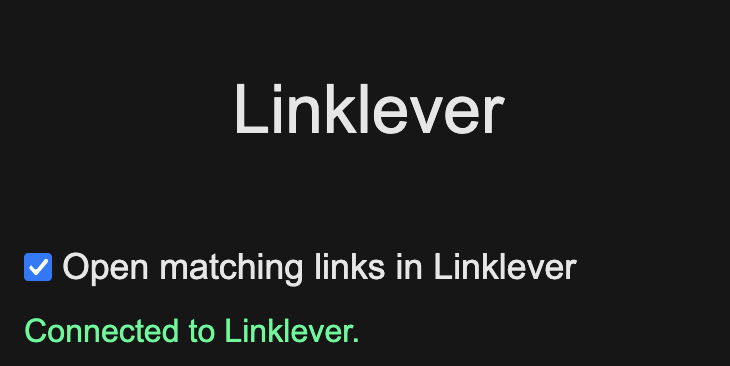
Step 3: Click the Linklever icon in your browser, then check Open matching links in Linklever. You can also set this on the options page.
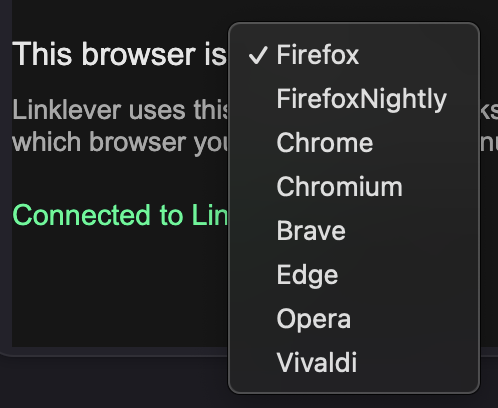
Step 4: In the options page, set This browser is to the browser you are configuring. Linklever uses this so it never sends a link back to the same browser it came from. The extension tries to detect this for you; correct it if it looks wrong.
About Permissions
Auto-route asks for two browser permissions, webNavigation and tabs. They let the extension see the URL the browser is about to load and close the tab when a rule sends it elsewhere. Your browser only prompts for them when you turn auto-route on, and you can revoke them at any time by turning auto-route off.
The extension sends those URLs only to the Linklever desktop app on your own computer, over the operating system's native messaging channel. Nothing goes to Linklever or any third party over the internet. See the Privacy Policy for details.
Keep Reading
- The Linklever Browser Extension: How the extension started
- Browser Extension guide: Full setup and options
Thanks
Thanks to Sparus42 for the suggestion.
Let me know what you think! [email protected]