New Feature: Copy URL

|
Doug · 2026-05-15 |
A Linklever customer wrote in with a suggestion: when the browser picker appears, sometimes you don't actually want to open the URL in any browser. You just want to copy it somewhere else: a note, a chat, an input field, etc.
Until now, that meant cancelling the picker, going back to where the link came from, and copying the link there. It's a small detour, but one you might take many times a day.
Today's release adds a Copy button right on the picker.
The Button
A small copy icon now sits next to the URL:
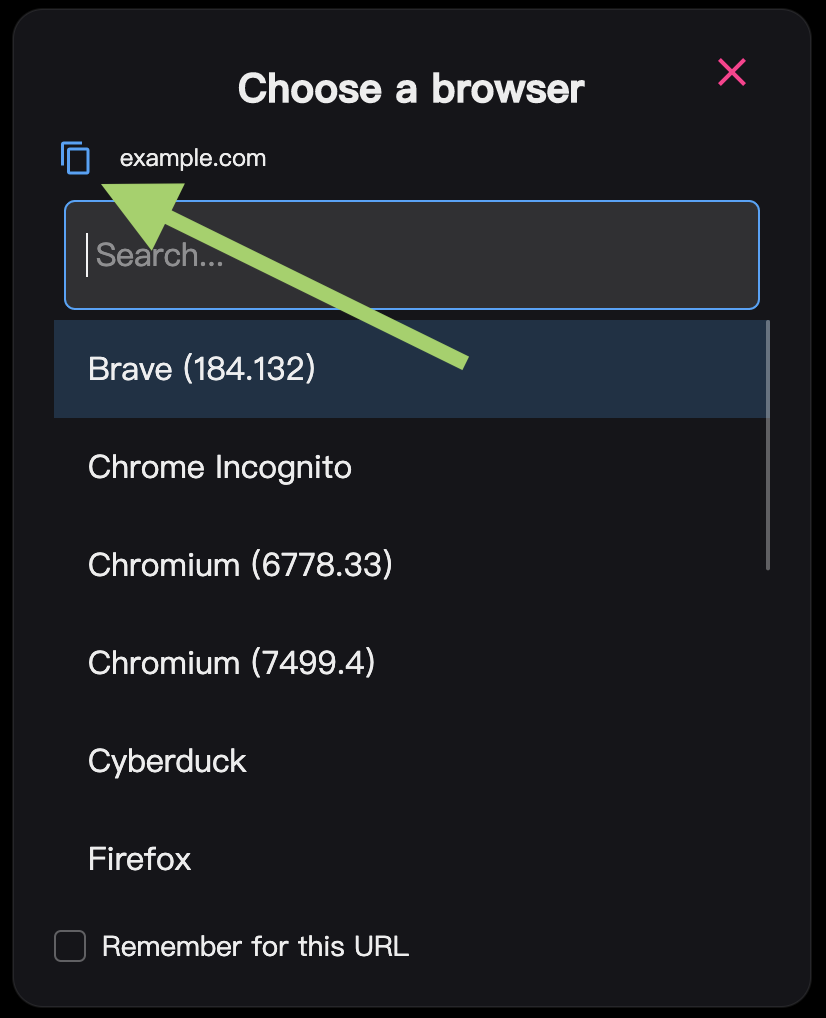
Click it, and Linklever sends the URL to your clipboard. The icon swaps to a green checkmark so you know it worked:
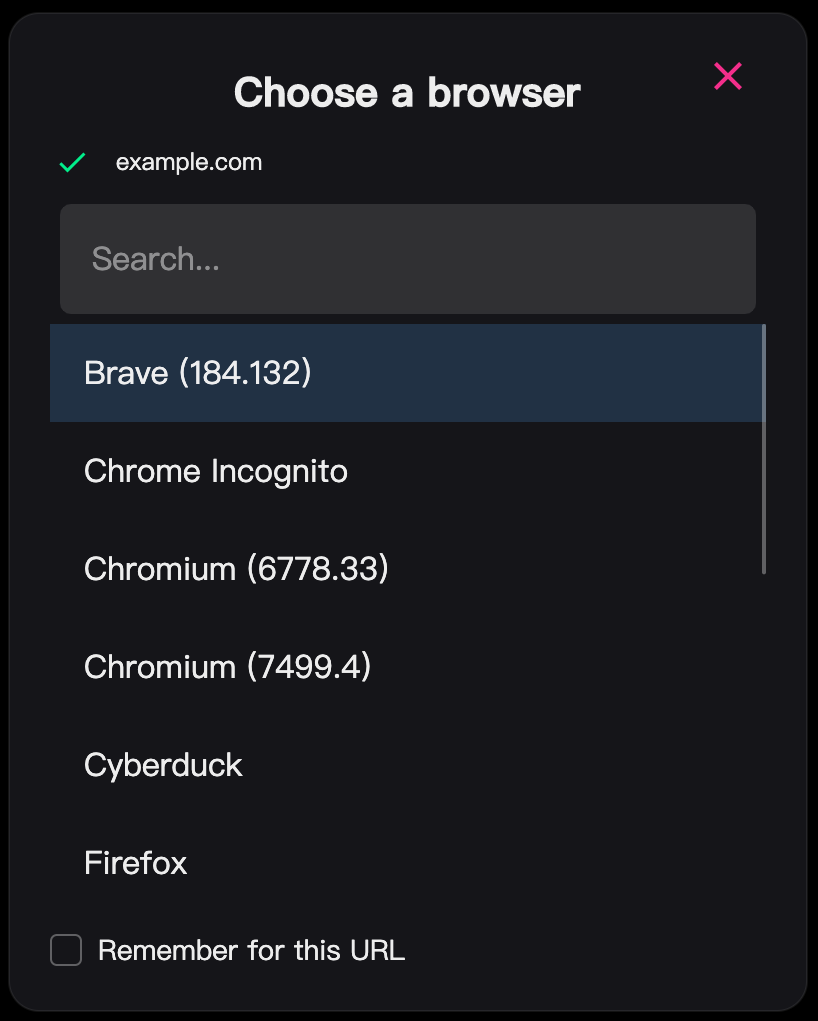
The picker stays open so you can still pick a browser, or press ESC to close it.
Keyboard Shortcut
If your hands are on the keyboard, you can skip the mouse. While the picker has focus, press Ctrl+C on Windows and Linux, or Cmd+C on macOS.
Thanks
Thanks to AtmanActive for the suggestion.
Let me know what you think! [email protected]